Every month we pull together tools, research, and ideas for journalists wearing… many hats.
Featured image: Evgenios Kalofolias
This column started as a newsletter on iMEdD’s LinkedIn.
You can subscribe and find all past issues here.
Turning investigations into games
Journalism is searching for new ways to hold readers’ attention. Can games built from investigative reporting keep audiences engaged?
Hello there!
Up your sleeve
Tools you can put to work right away
💣 Open source munitions portal
- Access: Web-based
- Cost: Free
- Link: https://osmp.ngo/practice-tool/
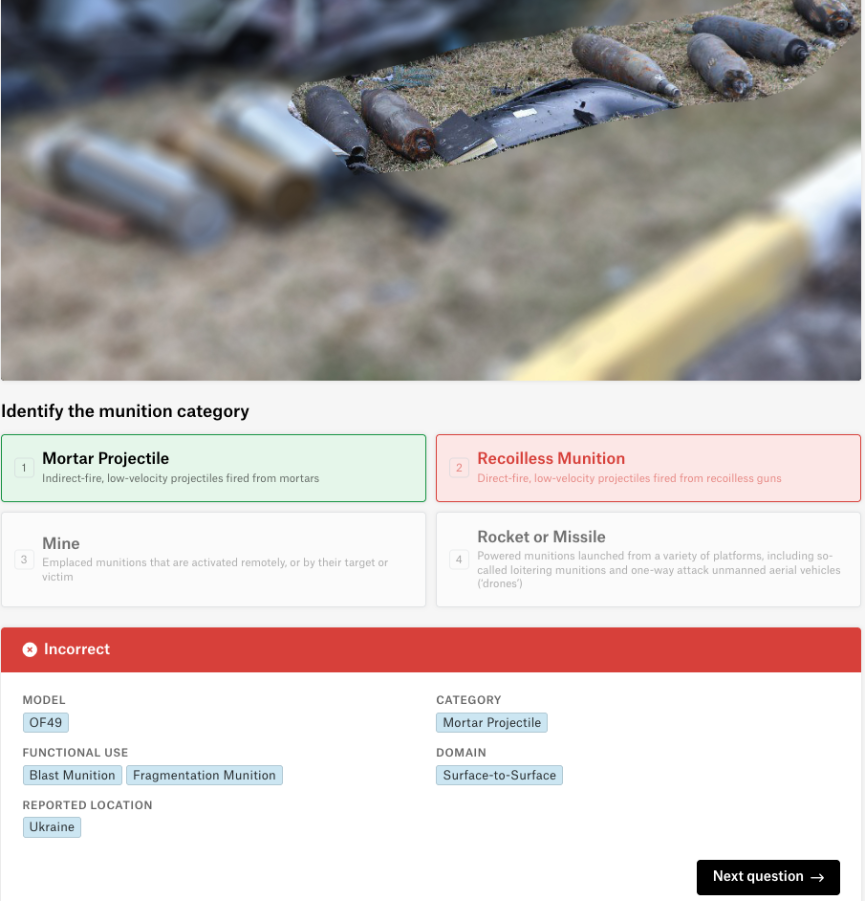
It’s a tool, by non-profit civilian harm watchdog Airwars and Armament Research Services (ARES) that helps journalists and researchers recognize munitions seen in conflict zones. It has a searchable collection of hundreds of expert-reviewed images, with details about the weapons and where they were documented. It lets you test your skills through two quiz modes: Beginner, to recognize different types of munitions, and Advanced, to identify specific models. You’ll also find visual guides and a glossary to help you learn.
🔥 Try it like this:

Open the OSMP practice tool and start with the Beginner quiz. Try identifying the types of munitions shown in the images, then move to Advanced mode for a bigger challenge. If you're covering a conflict, use the archive to compare images from reports or social media with verified examples.
👉 Keep in mind that visual identification isn’t always conclusive, and never approach suspected munitions.
📊 From data to viz
- Access: Web-based
- Cost: Free
- Link: https://www.data-to-viz.com/#explore
It helps you choose the right chart for your data. Instead of guessing whether to use a bar chart, line graph, or scatter plot, it guides you through a simple decision tree based on the type of data you have. It also explains the pros and cons of different charts, highlights common mistakes, and provides ready-to-use R code.
🔥 Try it like this:

Open From Data to Viz by Yan Holtz and use the Data Story section to explore chart suggestions based on your data, whether it's numbers, categories, maps, or networks. You can also browse A World of Possibilities to see different chart types grouped by purpose, such as showing trends, rankings, relationships, or geographic patterns. Click on a chart to explore examples, learn when to use it, and check common mistakes before choosing the best way to visualize your findings.
👉 And if you’re looking for inspiration, take a look (literally!) at Dataviz Inspiration. 👉
Worth a reminder: If you like this tool, don’t miss the still-iconic Visual Vocabulary by the Financial Times’ Chart Doctor, a classic resource for choosing the right chart for your data. You can also explore the project on GitHub.
Now try it on a real story
Tools tend to make more sense once there’s an actual problem to solve.
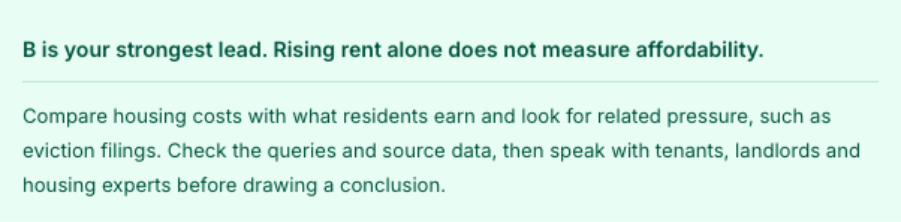
This time, the tool is Claude Dashboards, a new feature from Anthropic that lets you explore data and build dashboards by asking questions in plain language. It can help you spot trends, compare numbers, and dig deeper into findings without having to build every chart yourself. Of course, AI won’t do the reporting for you, and the numbers still need checking.
Let’s try how this could work:
🎯Reporting simulation
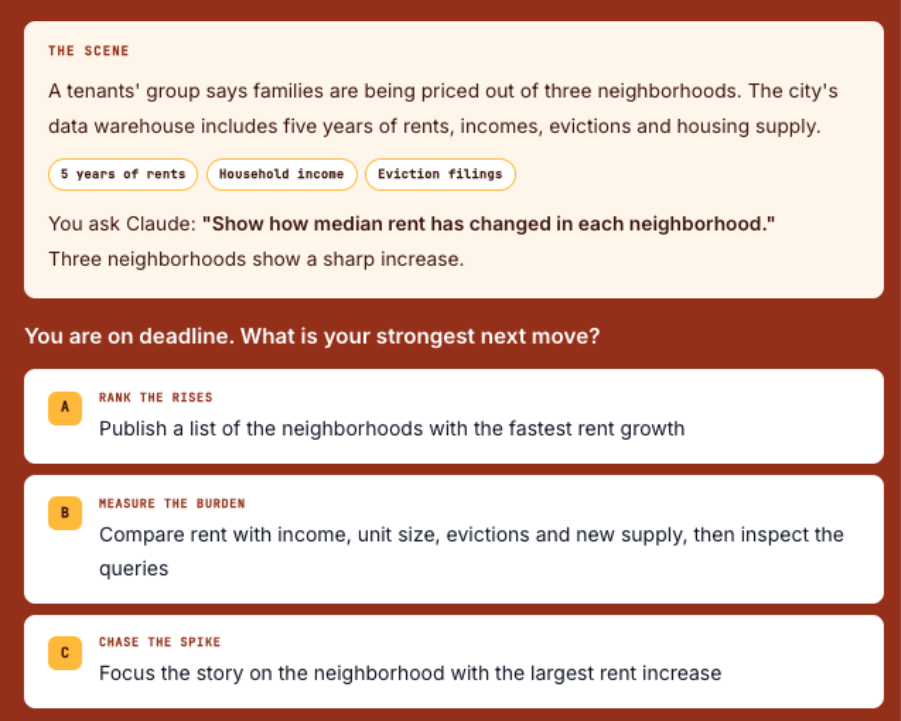
One important note: Claude Dashboards is currently in beta on paid plans and works with connected data sources.
Community spotlight
What if getting readers to play a quiz is more about where you put it than what’s in it?
A new analysis by media journalist Ulrike Langer er looks at how news publishers use quizzes to keep readers engaged, with some surprising findings. At German sports site sport.de, a quiz published as a standalone article had a 63.4% start rate, compared with just 1.41% when a similar quiz was embedded in a regular news story. That’s a 45-fold difference, even though the standalone quiz attracted far fewer page views.
Meanwhile, Swiss broadcaster SRF – Schweizer Radio und Fernsehen produces around 68 quizzes and polls a month, with nearly 8 in 10 participants finishing the quizzes they start. The takeaway for newsrooms? Making quizzes easier to find, keeping them mobile-friendly, and starting with approachable questions may matter more than fancy design. And sometimes, giving a quiz its own space is what gets people to play in the first place.
Let’s chat!
Found something useful here? Or something we should know about? We’d love to hear from you.
See you next month!